
Real Estate Agent Web Design

rbhtechnologydm@gmail.com
Author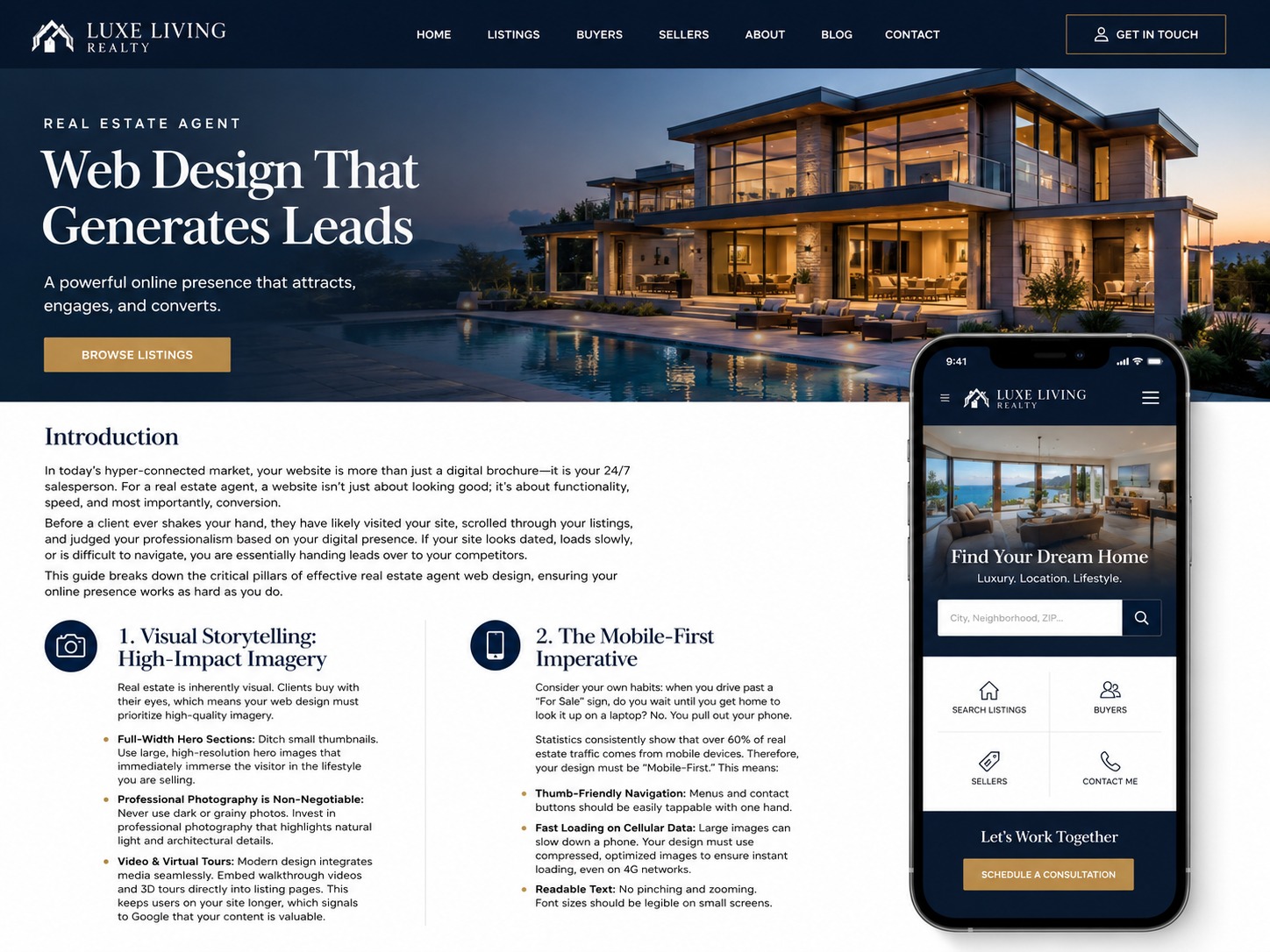
- Description: Is your real estate website generating leads? Discover the essential elements of real estate agent web design, from mobile responsiveness to IDX integration.
Article Content
Introduction
In today’s hyper-connected market, your website is more than just a digital brochure—it is your 24/7 salesperson. For a real estate agent, a website isn’t just about looking good; it’s about functionality, speed, and most importantly, conversion.
Before a client ever shakes your hand, they have likely visited your site, scrolled through your listings, and judged your professionalism based on your digital presence. If your site looks dated, loads slowly, or is difficult to navigate, you are essentially handing leads over to your competitors.
This guide breaks down the critical pillars of effective real estate agent web design, ensuring your online presence works as hard as you do.
1. Visual Storytelling: High-Impact Imagery
Real estate is inherently visual. Clients buy with their eyes, which means your web design must prioritize high-quality imagery.
- Full-Width Hero Sections: Ditch small thumbnails. Use large, high-resolution hero images that immediately immerse the visitor in the lifestyle you are selling.
- Professional Photography is Non-Negotiable: Never use dark or grainy photos. Invest in professional photography that highlights natural light and architectural details.
- Video & Virtual Tours: Modern design integrates media seamlessly. Embed walkthrough videos and 3D tours directly into listing pages. This keeps users on your site longer, which signals to Google that your content is valuable.
2. The Mobile-First Imperative
Consider your own habits: when you drive past a “For Sale” sign, do you wait until you get home to look it up on a laptop? No. You pull out your phone.
Statistics consistently show that over 60% of real estate traffic comes from mobile devices. Therefore, your design must be “Mobile-First.” This means:
- Thumb-Friendly Navigation: Menus and contact buttons should be easily tappable with one hand.
- Fast Loading on Cellular Data: Large images can slow down a phone. Your design must use compressed, optimized images to ensure instant loading, even on 4G networks.
- Readable Text: No pinching and zooming. Font sizes should be legible on small screens.